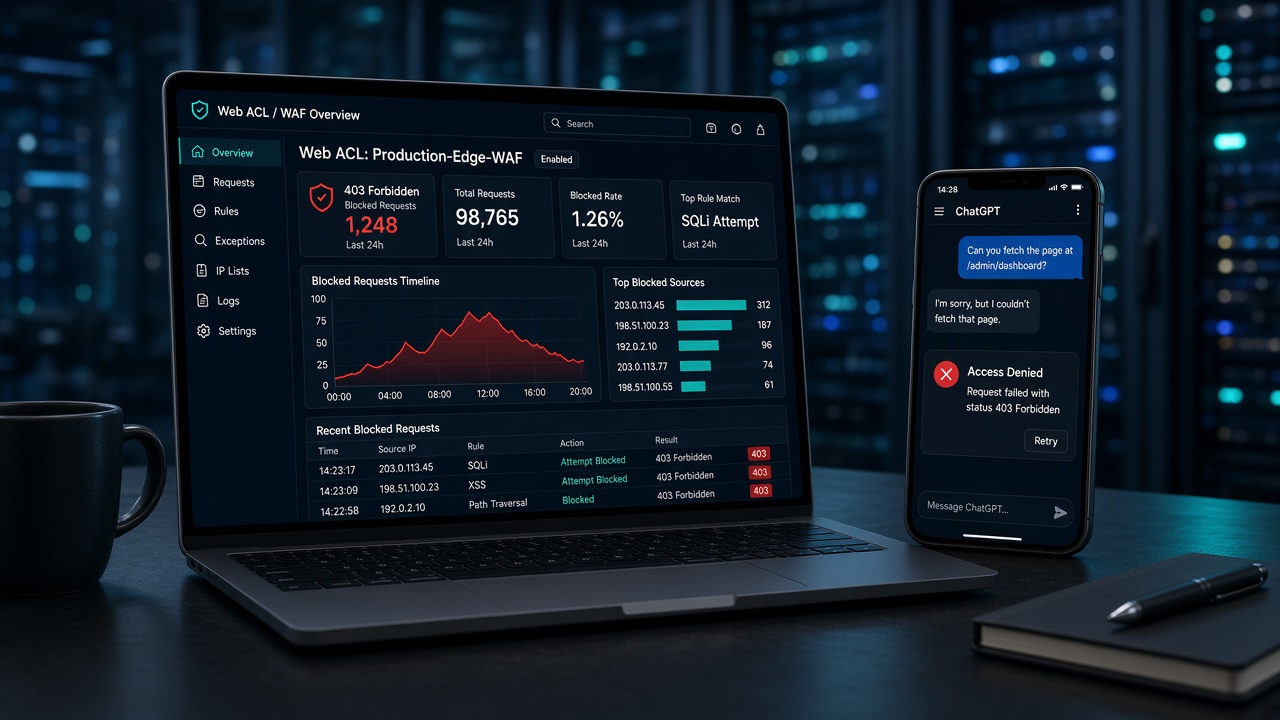
A client was setting up their business profile in OpenAI's new Business Hub when it flagged a problem: OpenAI couldn't access their website. When they asked ChatGPT to open the site directly, it came back with 403 Forbidden.
The site itself was healthy. Real visitors had no trouble. Search engines were crawling it. But every request from OpenAI was being turned away at the door, and nobody had changed anything.
Here's what we found, why it happened, and what we changed.
The setup
The site is a WordPress multisite on AWS, behind an Application Load Balancer protected by AWS WAF. The web ACL had a sensible, layered configuration:
- AWS managed rules for IP reputation, known bad inputs, SQL injection, Linux, and common exploits
- A geo block for a handful of countries
- AWS WAF Bot Control (the Common inspection level) to keep scrapers and junk automation out
Nothing exotic. This is a configuration we'd recommend to most clients.
Step 1: Find the rule that's blocking
AWS WAF keeps sampled requests and, if logging is enabled, full request logs in CloudWatch. Filtering seven days of logs for OpenAI's user agents told the whole story: every single request from OpenAI was blocked, and Bot Control was the rule doing it.
| OpenAI crawler | What Bot Control decided | Result |
|---|---|---|
| OAI-SearchBot (ChatGPT search) | No bot identification at all | Blocked as a "non-browser user agent" |
| ChatGPT-User (live page fetches for a user) | Verified, but "user-triggered" | Blocked by the AI category rule |
| GPTBot (model training) | Verified | Blocked by the AI category rule anyway |
Two different problems were stacked on top of each other.
Finding #1: Bot Control was running a version from 2024
AWS versions its managed rule groups. When you add one to a web ACL you can either pin a specific static version or leave it on Default and let AWS manage it.
Most people leave it on Default, assuming that means "the latest." It doesn't.
When AWS introduced versioning for Bot Control in May 2024, existing configurations were placed on the default version, Version 1.0. AWS only moves the default forward when it decides a new version provides improved protection for everyone. For Bot Control, that hadn't happened. Every release since (3.3, 4.0, 5.0, 6.0, 6.1, 7.0) shipped as an opt-in static version, with release notes stating plainly that it "doesn't change the default version behavior."
So the web ACL had been running Bot Control 1.0 the whole time. That version predates OAI-SearchBot. It didn't recognize the crawler as a bot at all. It saw an unfamiliar client with a non-browser user agent and blocked it.
Why doesn't AWS just upgrade everyone?
It's a deliberate choice. Each Bot Control release changes what gets classified and blocked: more bots identified, new categories, stricter classification of unverified traffic. Silently pushing that to every account would mean sites suddenly returning 403s to visitors, email clients, or partner integrations with no change on the customer's side. Bot detection is exactly the kind of rule where you want to upgrade on purpose and watch what happens.
The trade-off is that a "set it and forget it" configuration slowly falls behind the bot landscape. In 2024 that meant missing a new crawler. In 2026, with AI search becoming a real source of discovery, it means being invisible to it.
Check yours: In the WAF console, open your web ACL, edit the Bot Control rule, and look at the Version dropdown. If it says "Default (using Version_1.0…)", you're on the 2024-era version.
Finding #2: The AI category rule blocks verified bots
Upgrading alone wouldn't have fixed it. That's the part that surprises people.
Bot Control's category rules (search engines, monitoring, SEO tools, and so on) only act on unverified bots. If AWS can confirm a bot is really Googlebot, for example by checking the request against Google's published IP ranges, it lets the bot through.
There's one exception: CategoryAI blocks AI bots whether they're verified or not. AWS's changelog says so explicitly. It's a conservative default for site owners who don't want their content used by AI. But it also means a properly verified OAI-SearchBot gets blocked, and so does every other AI search engine.
ChatGPT-User has an extra wrinkle. AWS verifies it as genuinely coming from OpenAI, but labels it user_triggered:verified, because a person asked ChatGPT to open the page. Bot Control deliberately treats that label like an unverified bot.
What we changed
1. Pinned Bot Control to Version 7.0
Pinning to a current static version gets modern detection: AWS now tracks hundreds of bots and AI agents, recognizes OAI-SearchBot, and supports newer verification methods. It also means future versions only arrive when we choose, not silently in either direction.
We skipped the LATEST option. It's undocumented, and auto-following new versions brings back the exact surprise-behavior-change risk that versioning exists to prevent.
2. Switched four category rules from Block to Count
| Rule | Why |
|---|---|
CategoryAI |
Let AI crawlers through Bot Control (see the guard rule below) |
CategoryEmailClient |
Outlook and Yahoo Mail were blocked from loading newsletter images |
CategorySocialMedia |
Link previews on Facebook, LinkedIn, and iMessage were blank |
CategoryPagePreview |
Link unfurls in chat apps were failing |
"Count" means the rule still evaluates and labels the request, it just doesn't block. The labels are what make the next step work.
3. Added a guard rule so only verified AI bots get in
Setting CategoryAI to Count on its own would let in anything claiming to be an AI bot, including scrapers faking a ChatGPT user agent. So we added one custom rule, placed immediately after Bot Control so the labels exist when it runs:
{
  "Name": "BlockUnverifiedAIBots",
  "Priority": 23,
  "Statement": {
    "AndStatement": {
      "Statements": [
        { "LabelMatchStatement": { "Scope": "LABEL", "Key": "awswaf:managed:aws:bot-control:bot:category:ai" } },
        { "NotStatement": { "Statement": { "LabelMatchStatement": { "Scope": "LABEL", "Key": "awswaf:managed:aws:bot-control:bot:verified" } } } },
        { "NotStatement": { "Statement": { "LabelMatchStatement": { "Scope": "LABEL", "Key": "awswaf:managed:aws:bot-control:bot:user_triggered:verified" } } } },
        { "NotStatement": { "Statement": { "LabelMatchStatement": { "Scope": "LABEL", "Key": "awswaf:managed:aws:bot-control:bot:web_bot_auth:verified" } } } }
      ]
    }
  },
  "Action": { "Block": {} },
  "VisibilityConfig": {
    "SampledRequestsEnabled": true,
    "CloudWatchMetricsEnabled": true,
    "MetricName": "BlockUnverifiedAIBots"
  }
}
In plain terms: block anything labeled as an AI bot unless AWS verified it by IP, as a user-triggered fetch, or through a cryptographic Web Bot Auth signature.
Why not just allowlist OpenAI's IP ranges?
That was our first instinct, and it's what a lot of guides suggest. But Bot Control already does that verification for you, using each operator's published ranges, and AWS keeps those lists current. Maintaining your own IP set means a Lambda to refresh it, one more thing to break, and a separate list for every AI company you care about. Building on AWS's labels is AWS's recommended approach and covers every verified AI crawler at once.
4. Subscribed to rule update notifications
AWS publishes new managed rule versions and upcoming expirations to an SNS topic. We subscribed the client's alerts mailbox, so the next Bot Control release becomes a scheduled upgrade, not a surprise.
Bonus finding: robots.txt was redirecting to the homepage
Once ChatGPT could reach the site, it reported that /robots.txt redirected to the homepage. The WAF wasn't involved this time. A custom post type in the theme was registered with a rewrite slug of /, which generates a catch-all rule matching any single-segment URL. WordPress checks rewrite rules in order, so robots.txt matched the post type before WordPress's own robots.txt rule, found nothing, became a 404, and the theme's 404 template redirected it home.
The fix was three lines in the theme's existing request filter, handing that one URL back to WordPress:
// Root slug "/" also captures core endpoints like /robots.txt; hand those back to WordPress.
if ( 'robots.txt' === $query_vars['multi-tenants'] ) {
    return array( 'robots' => '1' );
}
If you've ever registered a post type with a root-level slug, check that /robots.txt still returns plain text.
The results
Within minutes of the change:
- ChatGPT-User requests were allowed, labeled as verified user-triggered fetches, where the same requests got 403s that morning
- Bingbot and Applebot continued through as verified bots
- Outlook, Yahoo Mail, and Skype previews started loading content
- Zero false positives from the new guard rule
- Overall blocked requests went down, with no new categories of legitimate traffic being stopped
All the other protections stayed exactly as they were.
Takeaways
- "Default" doesn't mean "latest." Check the version on every versioned AWS managed rule group, especially Bot Control.
- Pin versions and upgrade on purpose. Subscribe to the AWS managed rules SNS topic so you know when to.
- Verified isn't enough for AI bots.
CategoryAIblocks them anyway. If you want AI search visibility, override it to Count and add a label-based guard rule. - Decide your AI policy explicitly. Allowing ChatGPT search and live fetches is a different decision from allowing training crawlers like GPTBot. Make it on purpose, in both your WAF and your robots.txt.
- Check robots.txt after any rewrite changes. Root-level custom post types can silently swallow it.
If your site sits behind AWS WAF and you're not sure whether AI search engines can reach it, get in touch. It's usually a one-afternoon fix.
Comments