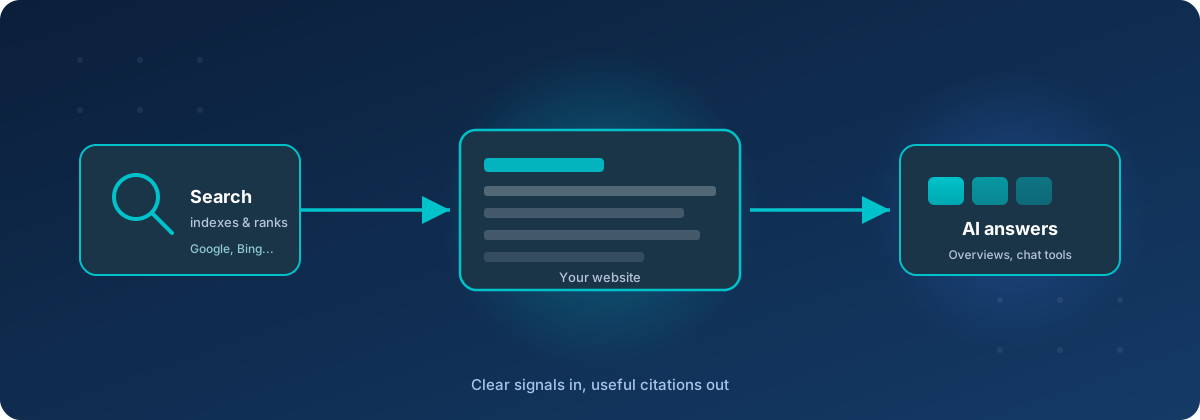
People still find websites through search. They also ask chat tools and AI overviews for recommendations. Those systems are different products, but they lean on the same foundations: can a bot reach the page, does the page say who wrote it and what it is about, and does related content point at related content?
You do not need a new CMS to get most of the way there. The five fixes below apply to almost any site — marketing site, blog, documentation, or storefront — whether it lives on a static host, WordPress, or something custom.
1. Fix crawl plumbing first
If important URLs return errors, or directory paths like /blog/ do not resolve, crawlers waste time and AI fetchers often give up. Soft failures are worse than a clean miss: an AccessDenied XML blob or a 403 looks like a broken site, not a missing page.
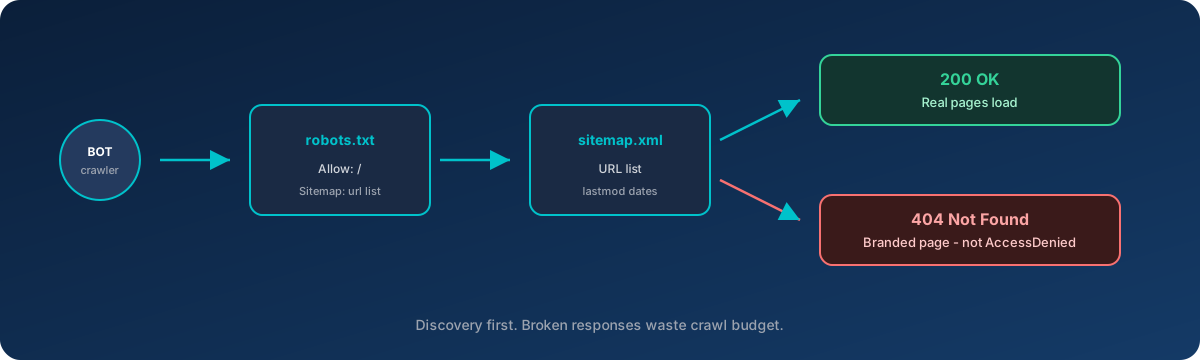
Minimum checklist:
robots.txtthat allows crawling and points at your sitemap.sitemap.xmlwith the URLs you actually want indexed, kept current.- Directory indexes or redirects so
/blog/and similar paths resolve. - Custom 404 served with a real HTTP 404 (not a 200 or a raw storage error).
On CDN-fronted object storage (S3 + CloudFront and similar), missing keys often surface as 403. Map those to your 404 document so bots and people see the same story.
2. Add structured data (JSON-LD)
Visible text is necessary. Typed metadata helps machines stop guessing. Schema.org markup — usually as JSON-LD in the page head — tells crawlers and answer engines that a page is an organization profile, a blog post, a product, or a breadcrumb trail.
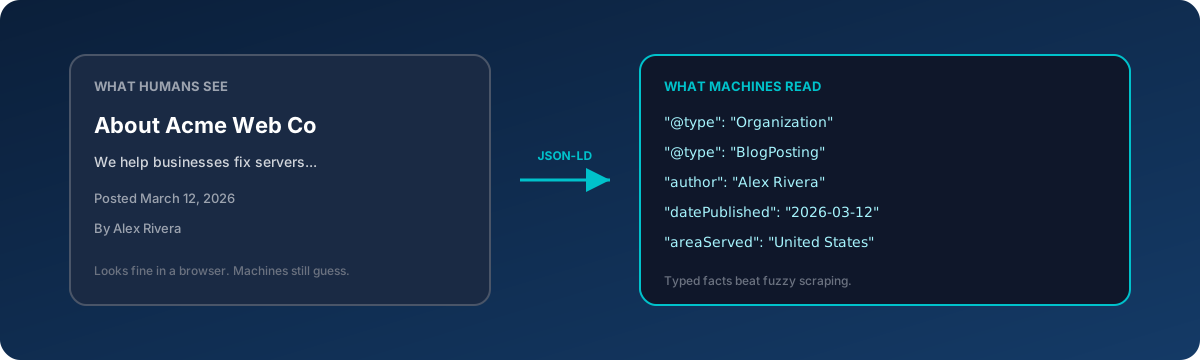
Start with what every site needs:
- Organization (or ProfessionalService / LocalBusiness) on the homepage — name, URL, logo, phone, where you serve.
- Article / BlogPosting on posts — headline, dates, author, publisher.
- BreadcrumbList where you already show breadcrumbs in the UI.
Prefer markup in the HTML itself. Relying on JavaScript-only injection means some crawlers never see it.
3. Canonical URLs and social previews
The same content often has more than one address: with or without www, index.html vs a clean path, tracking parameters, HTTP vs HTTPS. A rel="canonical" tag tells search engines which URL should own the ranking signals.
Open Graph (and Twitter card) tags control what appears when someone shares a link — and many scrapers reuse the same fields. Without them, previews fall back to a logo or a random image. Give every important page:
- An absolute canonical URL
og:title,og:description,og:url,og:image- A dedicated social image (roughly 1200×630), not only a favicon
- On articles: published time and author
4. Make the entity story consistent
Answer engines cite sources they trust. Conflicting signals hurt that trust: a meta description that describes an old product mix, no author on posts, geography buried three clicks deep, or three different ways of spelling the company name.
Tighten the story in one pass:
- Rewrite the homepage meta description so it matches what the site actually sells or does.
- Say where you are based and who you serve (city, region, remote) in plain language.
- Put a real byline on articles (“By …” linking to an about page).
- Optional but useful: a short
llms.txtat the site root summarizing the company, services, and key URLs for AI agents that look for it.
Keep the same facts in JSON-LD, the visible About section, and any business profiles you maintain elsewhere.
5. Build topical clusters with internal links
Strong articles that never point at related posts or the service page they support leave authority on the table. Search and AI systems both prefer clusters: several pages on one topic that clearly belong together.
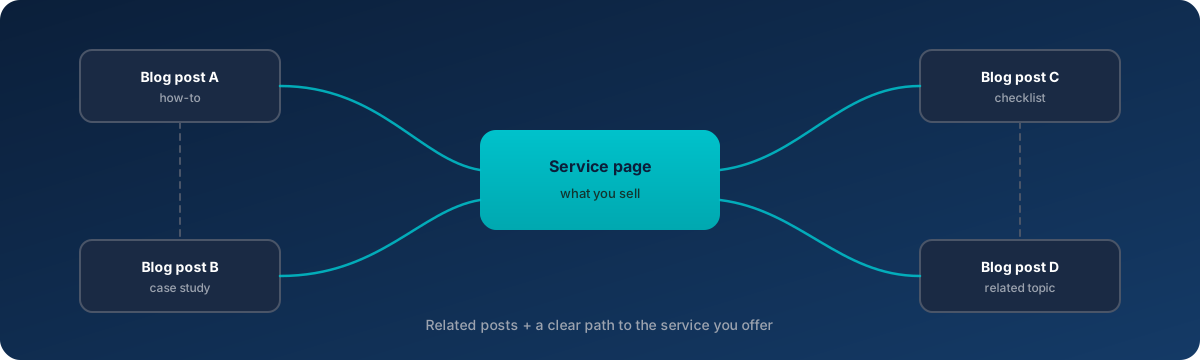
A practical pattern at the end of each article:
- One sentence that points to the matching product or service page
- Two or three related articles (not a dump of everything on the site)
While you are there, replace truncated meta descriptions (the ones that end in an ellipsis) with complete summaries. Snippets and social cards both benefit.
What order to do this in
- Crawl plumbing — nothing else matters if bots cannot fetch the page
- JSON-LD for organization and articles
- Canonicals and Open Graph
- Entity clarity (copy, bylines, geography, optional
llms.txt) - Internal linking clusters
Items 1–3 are mostly mechanical. Items 4–5 use content you already have. None of them require chasing every SEO fad — they make your site easier to fetch, parse, and cite.
The bottom line
Search rankings and AI citations both reward the same boring excellence: reachable URLs, honest errors, typed metadata, a consistent who-you-are story, and links that show how your topics fit together. Fix those five, then keep publishing useful pages. The stack under the site matters less than whether machines can trust what they find.
If you want a second pair of eyes on crawl setup, structured data, or hosting that does not fight the crawlers, get in touch with Tierney Dynamics.
Comments