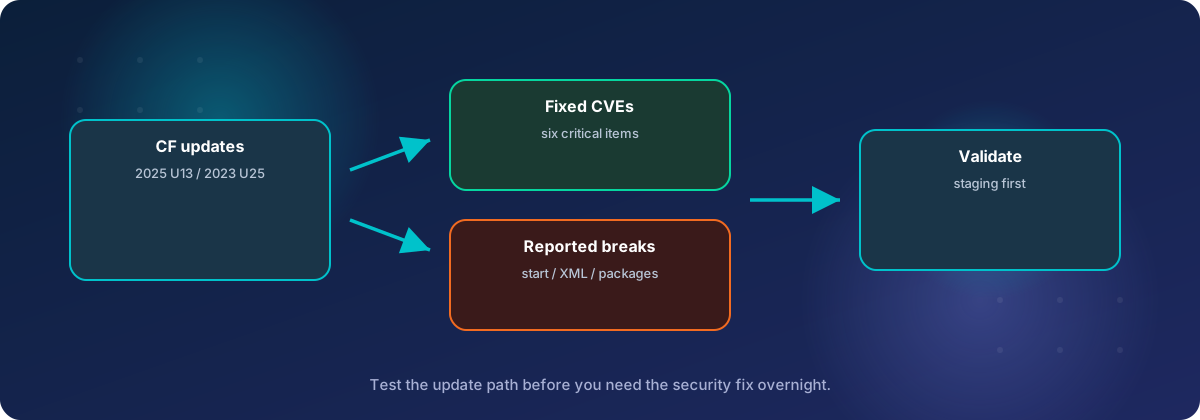
Adobe released a priority 1 security update for ColdFusion 2025 and 2023 on September 8, and followed it on September 23 with ColdFusion 2023 Update 25, a large refresh of the third-party libraries that ship inside ColdFusion. If your server is on ColdFusion 2025 Update 12 or earlier, or ColdFusion 2023 Update 23 or earlier, it is missing fixes for six critical vulnerabilities.
Both updates also change default behavior in ways that can break working code, and in the weeks since, administrators have reported servers that will not start, XML imports that fail and packages that disappear. Here is what changed, which of those problems you are likely to run into, and how we roll these updates out for our clients.
Where you should end up
| Version | Latest update | Released | Build number after updating |
|---|---|---|---|
| ColdFusion 2025 | Update 13 | September 8, 2026 | 2025,0,13,331960 |
| ColdFusion 2023 | Update 25 | September 23, 2026 | 2023,0,25,330977 |
One detail is easy to miss. Adobe's security bulletin lists ColdFusion 2023 Update 24 as the security fix, released the same day as 2025 Update 13. Update 25 is a maintenance release, but ColdFusion updates are cumulative, so installing Update 25 gives you the security fixes from Update 24 as well. You do not need to install 24 first.
The bulletin only covers ColdFusion 2025 and 2023. If you are still running ColdFusion 2021, 2018 or older, there is no patch for these issues. Earlier this year we wrote about a ColdFusion 2018 server that was compromised because it was many patches behind, and an unsupported version puts you in the same position permanently.
Why this one matters
Adobe's bulletin, APSB26-119, lists nine vulnerabilities. Six are rated critical, and Adobe gives the update its highest priority rating.
| CVE | Type | Impact | CVSS |
|---|---|---|---|
| CVE-2026-48273 | Eval injection | Arbitrary code execution | 9.9 |
| CVE-2026-75746 | SQL injection | Arbitrary code execution | 9.1 |
| CVE-2026-76190 | Eval injection | Arbitrary code execution | 8.6 |
| CVE-2026-75993 | Reflected cross-site scripting | Privilege escalation | 8.5 |
| CVE-2026-75999 | Improper input validation | Arbitrary code execution | 8.4 |
| CVE-2026-75998 | Improper access control | Arbitrary file system read | 7.5 |
The other three are rated important: a denial-of-service and two cross-site scripting issues.
Two of the critical issues stand out. According to their CVSS scores, CVE-2026-76190 and CVE-2026-75998 can be exploited over the network without logging in. The first lets an attacker run code, and the second lets them read files on the server, which on a ColdFusion server usually means configuration files and datasource credentials.
Adobe says it is not aware of any exploits in the wild. That tends to change once a bulletin has been public for a few weeks and people start comparing the patched and unpatched code.
Which changes and known issues will affect you?
Most of the fixes in 2025 Update 13 work by turning off something that used to be allowed. 2023 Update 25 has no security bulletin of its own, so on paper it is a maintenance release, but in practice it changed more than Adobe's release notes describe. Many of its changes are the same ones ColdFusion 2025 received in Update 8 back in June, now brought over to 2023, and at least one, the XML change below, was not in the release notes at all. On top of that, administrators have reported problems that Adobe has not documented, especially for 2025 Update 13, which has no known issues list.
That adds up to a long list, but most servers will only meet a few items on it. We have split it into two groups.
Common: check these on every server
These affect ordinary setups, so we check every server we update for them.
| Issue | Versions | Who runs into it |
|---|---|---|
| Packages missing after the update | Both | Any server, more often with offline updates |
| ColdFusion will not start with a Java agent | 2023 Update 25 | Windows servers running FusionReactor or another Java monitoring agent |
| XML with a DOCTYPE is rejected | 2023 Update 25 (2025 since Update 8) | Sites that import feeds or partner files, or validate XML |
Less common: only if you use the feature
These only matter if your server or application uses a specific feature. Most of our clients will never notice them, but if you do use the feature, the effect can be serious.
| Issue | Versions | Who runs into it |
|---|---|---|
| ColdFusion will not start with sandbox security | 2023 Update 25 | Shared servers that use sandbox security to separate sites |
| Clustered instances will not start | 2025 Update 13 | Servers using ColdFusion's clustering with session replication |
| Table and procedure names are validated | 2025 Update 13 | Code that builds stored procedure or table names from variables |
| Java library upgrades | 2023 Update 25 | Code that calls bundled Java libraries, such as Tika, directly |
| License service fails to load | 2023 Update 25 | Servers built from the AWS Marketplace image |
| Limits on deserialized data | 2025 Update 13 | Applications that pass very large serialized data between servers |
| Two XSLT functions blocked | 2025 Update 13 | Stylesheets that use collection() or uri-collection() |
| AJAX widget sanitization | 2025 Update 13 | Older interfaces built with <cfwindow>, <cflayout> or <cfgrid> |
| Administrator log viewer fails | 2023 Update 25 | Administrators who read logs in the Administrator |
| Docker images arrived late | 2023 Update 25 | Containers built from Adobe's ColdFusion images |
Not sure which features your server uses? That is often the case when a server has been running for years or was set up by someone who has moved on. We can check for you, and the details for each item follow.
Common issues, in detail
Packages removed or not reinstalled
Affects: both versions, any server.
ColdFusion 2023 and 2025 are split into a core server and separately installed packages, such as mail, PDF, feed, scheduler and Axis for SOAP web services. The first time ColdFusion starts after an update, it uninstalls each package that is due for a new version and then installs the new one. If the install step fails, nothing puts the old package back. The update still reports success, and the first sign is often an error saying a tag or feature is not available, or a feature that quietly stops working.
Adobe's notes for 2023 Update 25 call out one case: the Axis package may be missing after the update, which breaks applications that call or publish SOAP web services. Adobe provides a separate download to reinstall it.
The September 8 updates had the same problem. One administrator reported on ColdFusion 2025 Update 13 that the mail, PostgreSQL and ZIP packages still showed as installed but did not work until they were uninstalled and reinstalled. Another, on 2023 Update 24, had to reinstall the feed package, and on some instances the Administrator package as well.
The evidence is always in the logs. The update log sits in the update's folder under cfusion/hf-updates, and coldfusion-out.log records the first startup afterwards. A package that was dropped shows up like this:
Uninstalling the package feed
...
feed package will not be deployed as it is not installed
A healthy package shows a "started" line instead, such as Package feed started. When one fails, the reason is usually in cfpm-audit.log, exception.log or coldfusion-error.log.
Admins have reported dropped packages on many updates over the years, usually for one of these reasons:
- Offline updates unzipped into the wrong folder. On servers without internet access, the packages zip is meant to be extracted into its own folder, with ColdFusion's package site setting pointed at the
bundlesdependency.jsonfile inside it. Extracting it into ColdFusion's ownbundlesfolder instead is common, and the update can then delete the very package files it needs. - An out-of-date package list. The update downloads a list of package versions from Adobe. If it receives an older, cached copy, the list has no entries for the new update, and the affected packages are uninstalled without being reinstalled.
- Missing permissions. Running the installer from an account that cannot write to every ColdFusion folder can leave packages half installed, especially on Linux.
After any update, compare the package list in Package Manager in the Administrator, or the output of cfpm list, against what was installed before the update. Every package should be present and show the new version. This check only takes a minute if you saved the package list before updating, which is why we always save it first.
If packages have gone missing, we can reinstall them at the right versions and track down why the update dropped them, so the next update does not do the same thing.
ColdFusion will not start on Windows when a Java agent is configured
Affects: ColdFusion 2023 Update 25 on Windows, with FusionReactor or another Java monitoring agent.
After the update, the ColdFusion Windows service stops, and Event Viewer only says "The system cannot find the file specified." Neither the ColdFusion logs nor the Windows logs explain why. Stopping the service and running cfstart.bat from a command prompt shows the real error:
Error occurred during initialization of VM
Could not find agent library instrument on the library path, with error: Can't find dependent libraries
Module java.instrument may be missing from runtime image.
Only Windows is affected. Linux servers and containers start normally with the same agent.
Charlie Arehart, a long-time ColdFusion consultant, tracked down the cause. At startup, ColdFusion adds its own folders to the Windows PATH, and as of Update 25 it cuts the result off at about 255 characters. On most servers the PATH is already longer than that, so the folder holding Java's instrument.dll falls off the end, and any agent that needs it fails. There are two workarounds, and FusionReactor's documentation describes both.
Adobe's workaround changes the system PATH:
- Find the JDK that ColdFusion uses, from the
java.homesetting injvm.config. - Add that JDK's
binfolder as the first entry in the Windows systemPATH. Adding it at the end does not help. - Restart the machine, not just the ColdFusion service.
- Start ColdFusion again.
This affects every program on the server, and the entry has to be changed whenever ColdFusion moves to a new Java version.
Charlie Arehart's workaround gives only the ColdFusion service a short PATH, so what ColdFusion adds fits within the limit. It is a registry value on the service:
reg add "HKLM\SYSTEM\CurrentControlSet\Services\ColdFusion 2023 Application Server" /v Environment /t REG_MULTI_SZ /d path=xxThe value has to be something short but not empty, because ColdFusion only adds its folders to a PATH that has something in it. It needs no reboot, but it is invisible in ColdFusion's own settings, and it breaks <cfexecute> calls that run a program by name instead of by its full path. Each ColdFusion instance runs as its own service and needs its own registry value. Back up the registry key first.
Removing the Java agent from jvm.config also gets ColdFusion running again, but that leaves the server unmonitored, which is when you need monitoring most. We would rather pick the workaround that suits the server and keep the agent. Whichever one is used, write down which servers have it, so it can be removed once Adobe ships a fix. That is the kind of record we keep for every server we maintain.
XML with a DOCTYPE is now rejected
Affects: ColdFusion 2023 Update 25. ColdFusion 2025 has behaved this way since Update 8 in June.
xmlParse() and xmlValidate() now reject any XML document that contains a DOCTYPE declaration. The error looks like this:
DOCTYPE is disallowed when the feature
http://apache.org/xml/features/disallow-doctype-decl is set to true
Adobe now lists this as a known issue, but it is really a new, safer default, and it was not in the original release notes. Administrators found it the day after release, when code that had worked on Update 24 started failing.
DOCTYPE declarations are how XML external entity attacks get in, so blocking them unless your code asks for them is the right call. It will still break code that has worked for years, such as importing a supplier's product feed, reading a partner's order files, or a framework that checks its configuration files with xmlValidate(). Validating against a DTD needs the DOCTYPE, so with the new default that kind of validation fails every time.
For XML you trust, Adobe's fix is to allow the DOCTYPE through the options argument, while keeping external entities blocked:
xmlDoc = xmlParse(
    xmlContent,
    false,
    {
        ALLOWDOCTYPEDECLARATION = true,
        ALLOWEXTERNALENTITIES = false
    }
);
xmlValidate() accepts the same options. Do not do this for XML uploaded by users or fetched from a source you do not control. This is also the issue that is hardest to spot, because the server starts normally and the failure only shows up when a particular import or scheduled task runs. We can search your code for every xmlParse() and xmlValidate() call, work out which ones handle trusted XML, and change only those.
Less common issues, in detail
ColdFusion will not start with sandbox security turned on
Affects: ColdFusion 2023 Update 25, on servers that use sandbox security.
If sandbox security is enabled, ColdFusion may fail to start after the update. If it does start, the Administrator shows an error like this:
Unable to install Security package: coldfusion.server.ServiceException:
org/apache/commons/io/FileUtils. Could not initialize class coldfusion.vfs.VFile
The update's library cleanup removed a file that the security package still needs. Adobe's workaround is to download the commons-io.jar file linked in its release notes, check it against the MD5 checksum Adobe gives, copy it into cfusion/lib under the ColdFusion folder, and restart. Adobe says a permanent fix will come in a later update, so the extra file needs to be tracked until then.
Few servers use sandbox security, but the ones that do are usually shared servers running many sites, which are exactly the servers where an outage hurts most. It is also living on borrowed time: it relies on the Java Security Manager, which Java is removing, so a future ColdFusion release will have to drop the feature. We can check whether your servers use it, apply the workaround, confirm every site loads, and help you plan how to keep those sites separated once sandbox security is gone.
Clustered servers lose a fix from the previous update
Affects: ColdFusion 2025 Update 13, on instances using ColdFusion's clustering with session replication.
The previous update, 2025 Update 12 in August, upgraded the Tomcat server that runs inside ColdFusion to version 10.1.57. After that, ColdFusion instances that use ColdFusion's own clustering with session replication would not start, failing with an error like this:
Cannot find method [setChannel] in object [StandardEngine[Catalina]]
of class [class org.apache.catalina.core.StandardEngine]
Adobe published a patched catalina.jar in its bug tracker (CF-4233544) to fix it. Update 13 does not include that fix, and it replaces catalina.jar with its own copy, so a server that had the patch applied can lose it. Charlie Arehart confirmed this on ColdFusion 2025. If you run clustered instances, check after updating, and if the error comes back, restore the patched file from the update's hf-updates backup folder, or download it from the tracker again, then restart.
Most sites run on a single ColdFusion instance, or spread load with a load balancer and no session replication, and are not affected.
Table and stored procedure names are now validated
Affects: ColdFusion 2025 Update 13, in code that builds table or procedure names from variables.
ColdFusion now checks that the table names given to <cfgridupdate>, and the procedure names and dbvarname values given to <cfstoredproc> and <cfprocparam>, are plain SQL identifiers: letters, digits, _, $, #, @, and a dot where a schema or owner is allowed. Anything else is rejected before the SQL is built. Adobe already did this for <cfinsert> and <cfupdate>.
Stored procedures with fixed names, like dbo.getOrders, are not affected. If your application builds a procedure name from a variable, check where that variable comes from. If a legitimate value is being rejected, the right fix is to use a plain name. Adobe provides JVM flags that turn the check off, -Dcoldfusion.sql.allowUnsafeTableIdentifiers=true and -Dcoldfusion.sql.allowUnsafeStoredProcIdentifiers=true, but we would treat those as a short-term workaround, not a fix.
Java library upgrades
Affects: ColdFusion 2023 Update 25, in code that calls the bundled Java libraries directly.
Update 25 replaces dozens of Java libraries that ship inside ColdFusion. Ordinary CFML code never touches them directly, so for most applications this is invisible. A few are worth knowing about:
| Library | Before | After |
|---|---|---|
| Log4j | 2.17.2 | 2.25.4 |
| Jetty | 9.4.51 | 9.4.58 |
| Apache Tika | 1.2 | 2.9.4 |
| Apache Commons FileUpload | 1.3.3 to 1.5 | 1.6.0 |
| jQuery UI | 1.10.3 | 1.13.2 |
| Sanselan | 0.97 | Removed, replaced by Commons Imaging |
| Pebble | Included | Removed |
If your code calls any of these libraries through createObject("java", ...), test it. Tika in particular jumped two major versions, and code written against the old classes is likely to fail.
License service failure on the AWS Marketplace image
Affects: ColdFusion 2023 Update 25, reported so far only on servers built from the AWS Marketplace image.
One administrator running ColdFusion 2023 from an AWS Marketplace image reported that after getting past the Java agent problem above, the license service would not load. The log showed NoClassDefFoundError: com/adobe/asneu/AsnException, and the Administrator returned a 500 error. Adobe Support's fix was to stop ColdFusion, move cfusion/lib/cfusion-req.jar aside, copy the earlier version back from the update's backup folder (cfusion/hf-updates/hf-2023-00025-330977/backup/lib), and start ColdFusion again. If you installed ColdFusion yourself, this is unlikely to affect you.
Limits on deserialized data
Affects: ColdFusion 2025 Update 13, in applications that pass very large serialized data.
The deserialization filter file, cfserialfilter.txt, now accepts three size limits. The defaults are built in and apply even if you never edit the file.
| Setting | Default | What it limits |
|---|---|---|
maxarray |
100,000 | Length of a single array or recordset |
maxdepth |
64 | How deeply elements can be nested |
maxelements |
200,000 | Total elements in the whole packet |
Most applications will never come close. If you pass large serialized queries between servers, for example a nightly export of a big table, test that job before updating production.
Two more XSLT functions are blocked in XmlTransform()
Affects: ColdFusion 2025 Update 13, in XSLT stylesheets that use collection() or uri-collection().
ColdFusion already blocked XSLT functions such as document() and unparsed-text() inside XmlTransform(), because a stylesheet could use them to read files on the server. Update 13 adds collection() and uri-collection() to that list. A stylesheet that uses either one now fails with a message saying external collection resolution is disabled by security policy. Ordinary transforms are not affected, and few applications use XSLT at all.
AJAX widgets and untrusted HTML
Affects: ColdFusion 2025 Update 13, in older interfaces built with ColdFusion's AJAX tags.
Adobe now tells developers to run any dynamic or user-supplied value through GetSafeHTML() before passing it to a ColdFusion AJAX widget that renders HTML. This is guidance rather than a behavior change, so nothing will break, but if your application still uses <cfwindow>, <cflayout> or <cfgrid>, it is worth a review. Most newer applications use a JavaScript framework instead.
Administrator log viewer fails
Affects: ColdFusion 2023 Update 25.
As of October 9, the log viewer under Debugging & Logging > Log Files fails for most of the files it lists as CFML logs, and a bug report has been opened. This is an annoyance rather than an outage: the log files themselves are fine, and you can still read them directly on the server.
Docker images arrived late
Affects: ColdFusion 2023 Update 25, in containers built from Adobe's images.
Adobe's ColdFusion 2023 Docker images for Update 25 were not published until September 28, five days after the update. If your containers are built from Adobe's images, check that the tag you build from is actually 2023.0.25.
What 2023 Update 25 fixes
Update 25 also fixes a long list of bugs. The ones we expect our clients to notice:
- Query of Queries now matches
IS NULLandIS NOT NULLcorrectly on text columns, and no longer turnsnvarcharcolumns intovarchar. - Administrator users who sign in through an Active Directory or LDAP group no longer get errors or unexpected logouts in parts of the Administrator.
- Scheduled tasks now update their Last Run time, and errors in scheduled tasks are no longer swallowed when the application has an
onError()handler. - Solr collections work again after turning on basic authentication for the bundled Solr server.
- SFTP connections to older servers can be re-enabled with
-Dcoldfusion.sftp.enable-ssh-rsaand-Dcoldfusion.sftp.enable-sha1-algorithms. Only use these if the remote server needs them. - Valid SendGrid API keys are no longer rejected.
There is one more piece of good news. Earlier updates replaced pathfilter.json with Adobe's default, so anyone who had customized it had to restore their changes after every update. An administrator reports that Update 25 left the file alone. We would still back it up before updating, but it may be one less thing to fix afterwards.
Many of the reports above were collected in the comments and updates on Charlie Arehart's post about Update 25, which is worth following if you manage ColdFusion servers yourself.
How we roll these out
Neither update requires you to recreate the IIS or Apache connector, unless a ColdFusion 2023 server is coming from Update 4 or earlier. That makes the update itself quick. The time goes into testing, and this is the order we follow for our clients:
- Take a snapshot or backup of the server, including the ColdFusion installation folder, and save the list of installed packages and their versions.
- Check the common issues on every server. Then work out which of the less common features the server uses: sandbox security, clustering, AWS Marketplace images, dynamic stored procedure names, direct Java calls, XSLT and large serialized data. On Windows servers with a Java agent, apply one of the
PATHworkarounds before updating. - Apply the update to a staging copy first, from Package Manager > Packages > Check for Updates in the Administrator, or from the offline installer for servers without internet access.
- Confirm the build number in the Administrator matches the table at the top of this post. Read the update log and
coldfusion-out.logfor packages that were uninstalled but never started, and check that every package from the saved list is installed at the new version. - Test the parts of the application that use XML, scheduled tasks and any of the less common features the server relies on.
- Update production during a quiet window, and watch the ColdFusion logs for the rest of the day. On clustered servers, confirm every instance starts and sessions still replicate.
One caution about rolling back. Uninstalling the core update from the Administrator does not roll back every package it updated. Packages that require the new core level are removed with it, and the rest stay at their new versions. A snapshot is a much cleaner way back than the uninstaller.
Adobe's full release notes are here: ColdFusion 2025 Update 13 and ColdFusion 2023 Update 25.
Need a hand?
Keeping ColdFusion servers patched is a large part of what we do. If one of these updates left your server unable to start, broke an XML import, took down a cluster, or dropped packages, we can sort it out, and we can apply these updates for you so you do not hit those problems in the first place. Our application server maintenance clients get updates like these tested and applied for them, and if an update has already broken something, our ColdFusion troubleshooting service can help you get back up. If you are still on ColdFusion 2021 or older, we can also help you plan the move to a supported version.
If you would like us to look at your servers, get in touch with Tierney Dynamics.
Comments